Cut by ear.
Or find the transients.
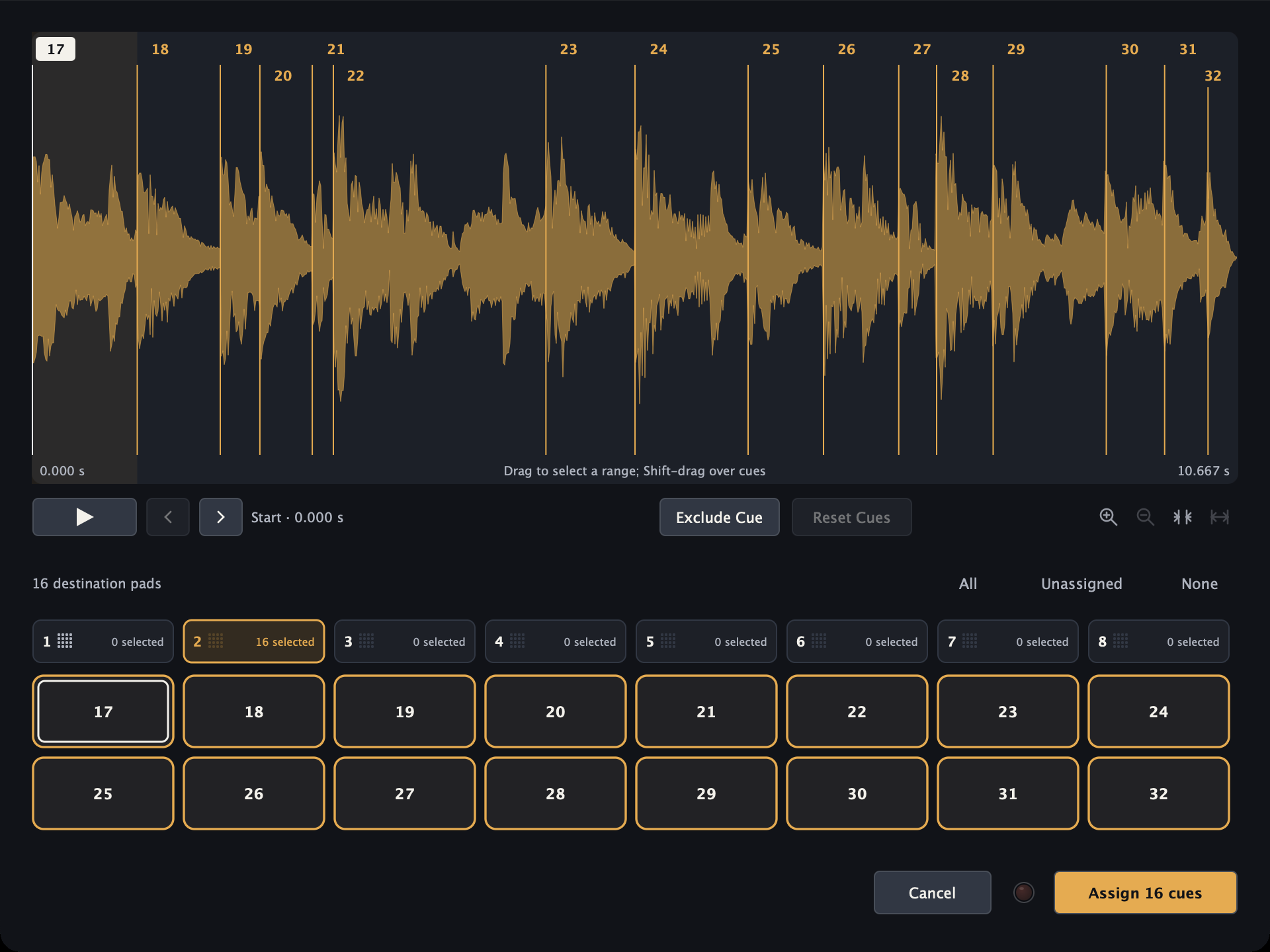
Capture cues with pads, keys or MIDI. Review automatic cuts in the waveform before assigning them.
 hitloomby inndevs
YOUR SAMPLES. YOUR INSTRUMENT.
Recorded breaks, electric bass and chopped Rhodes. Play the beat, tap the pads and make it yours.
Meet Hitloom 3.0.0Free open beta for Mac. Windows release in preparation. Changelog
Standalone + VST3 + AU · Apple silicon & Intel
Mac installation guide3 downloads
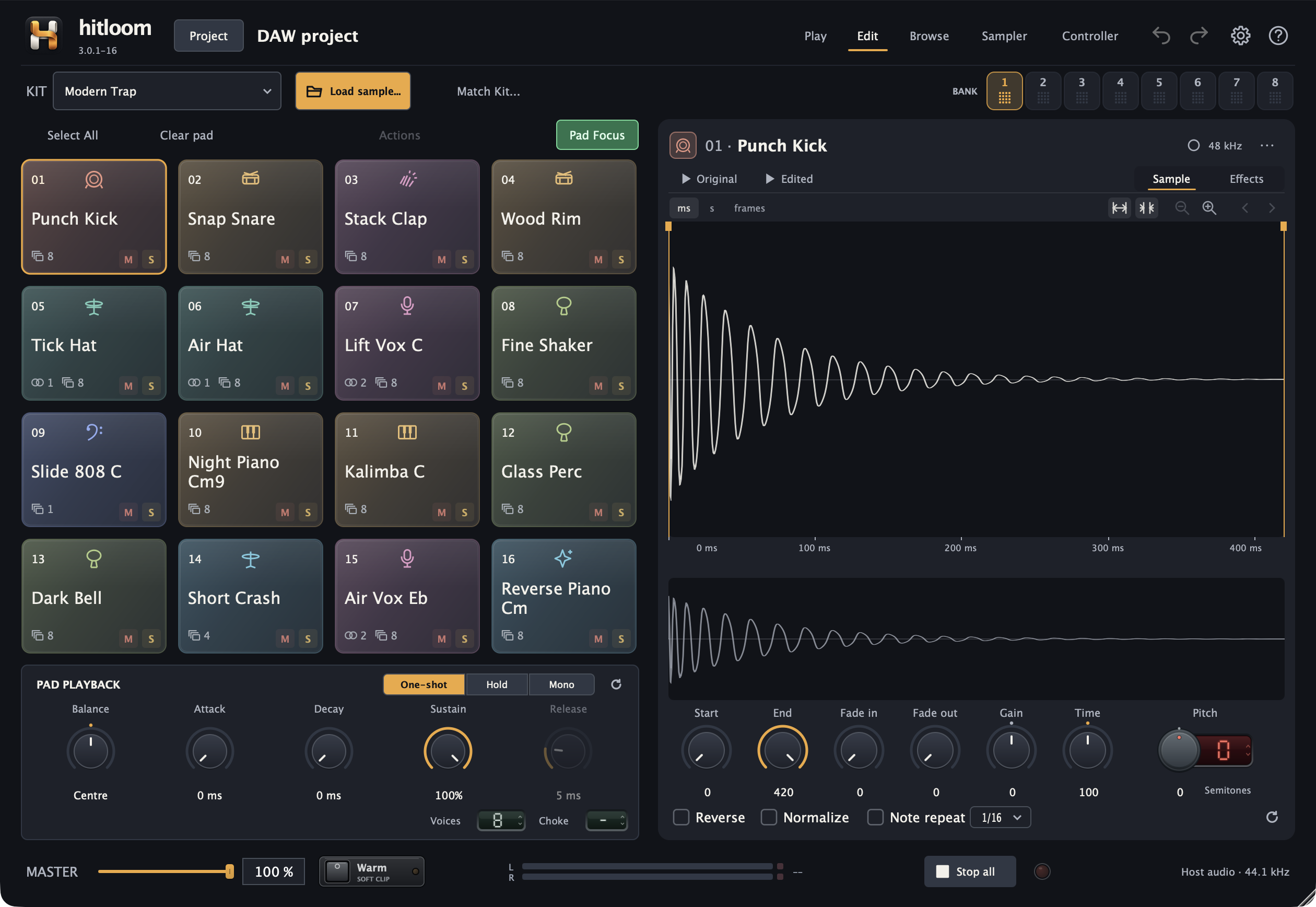
Drums: Wrek and Tez by DigitalUnderglow. Bass: Swagbass by D. Smolken / Karoryfer. Both CC0.
Rhodes: Rhodes loop 01 and 02, written and played by Philip Robinson Crusius (Raggaman), CC BY 3.0. Edited, slowed, pitched and rearranged for this demo.
Keyboard: 1 2 3 4 Q W E R A S D F Z X C V after selecting a pad. Esc stops playback.
HITLOOM 3.0.0 / TRY A CUT
Hear something you like? Hit a pad to catch it while the recording plays. Move its markers, use Detect Cues and turn one recording into a whole kit.
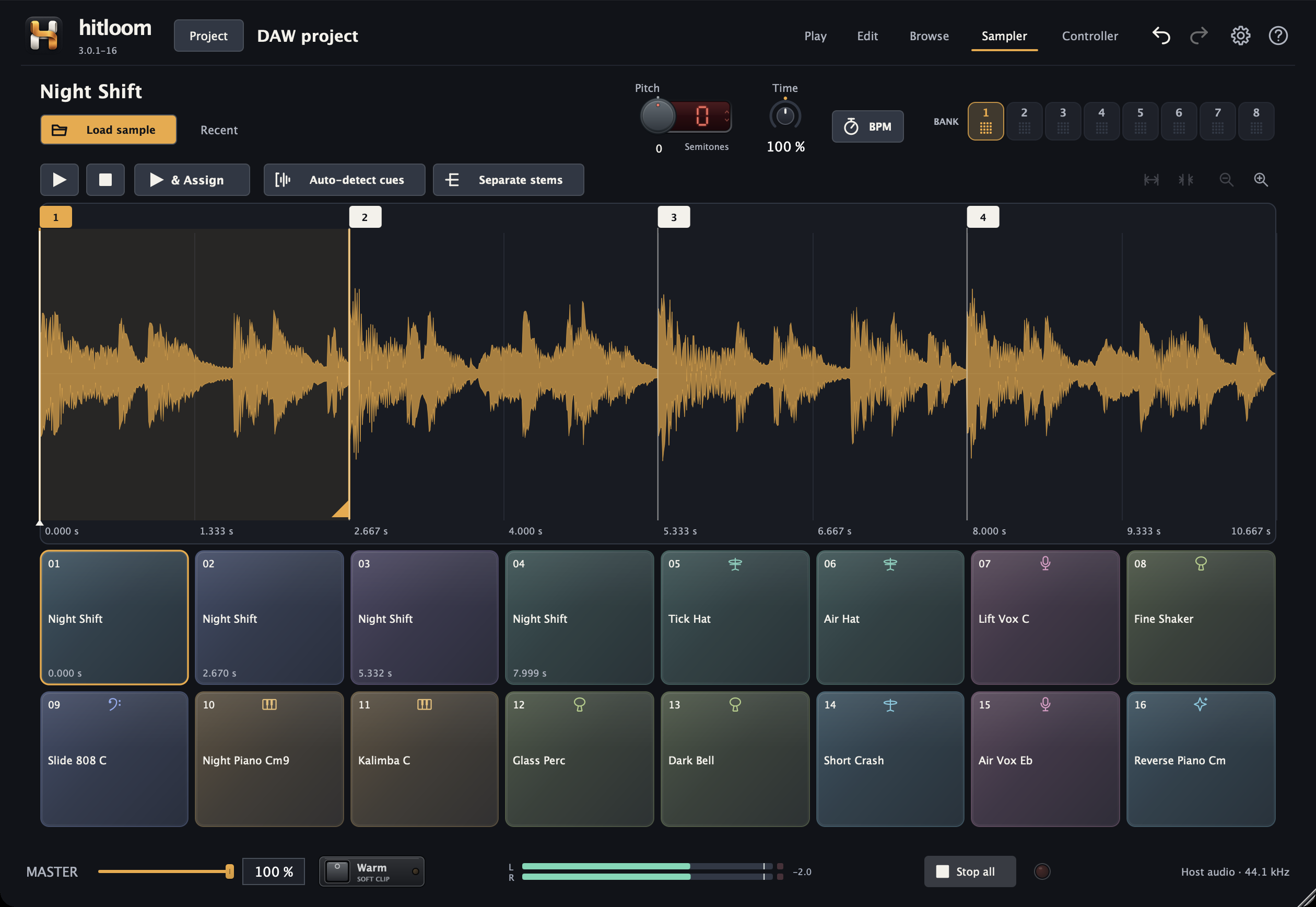
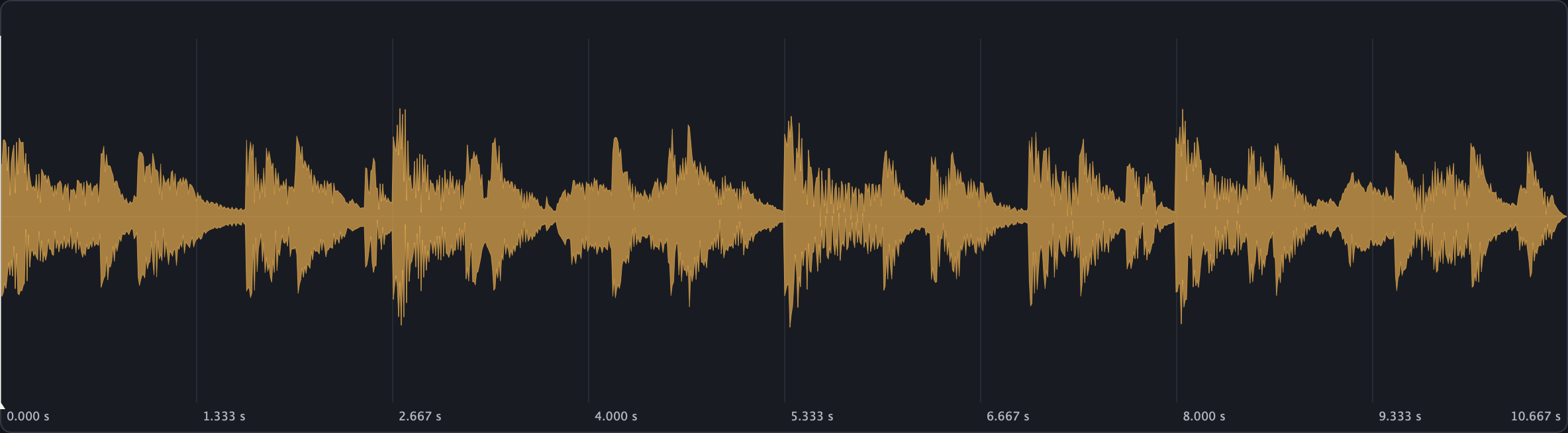
Capture cues with pads, keys or MIDI. Review automatic cuts in the waveform before assigning them.
Change key and tempo independently, preserve the groove, and carry your cues into the new timing.
No fixed duration limit. Load longer recordings and choose the moments worth keeping.
Capacity depends on available memory, sample rate and channel count. Source files and decoded audio each have a 4 GiB limit.
DETECT CUES
Find transients in your recording, review the suggested cues and preview the cuts. Keep the moments you want, then assign them to your pads.
Every cue stays editable. Move a marker whenever your ears tell you to.
AN INTERACTIVE EXPERIMENT
Explore Atlas, our original pitch-shifting experiment. Move a sample into a new key without changing its length, with two octaves in either direction and fine tuning to the cent.
This browser demo uses Atlas. The desktop app uses its newer shared pitch and time engine.
Two octaves either way.
Fine-tune to the cent.
Loading the pitch demo…
Generated demo sounds · Hitloom’s Atlas engineSAMPLE EDITING
Trim, fade, reverse and normalize. Compare the original with your edits, and undo a change whenever you need. Your source files stay intact.
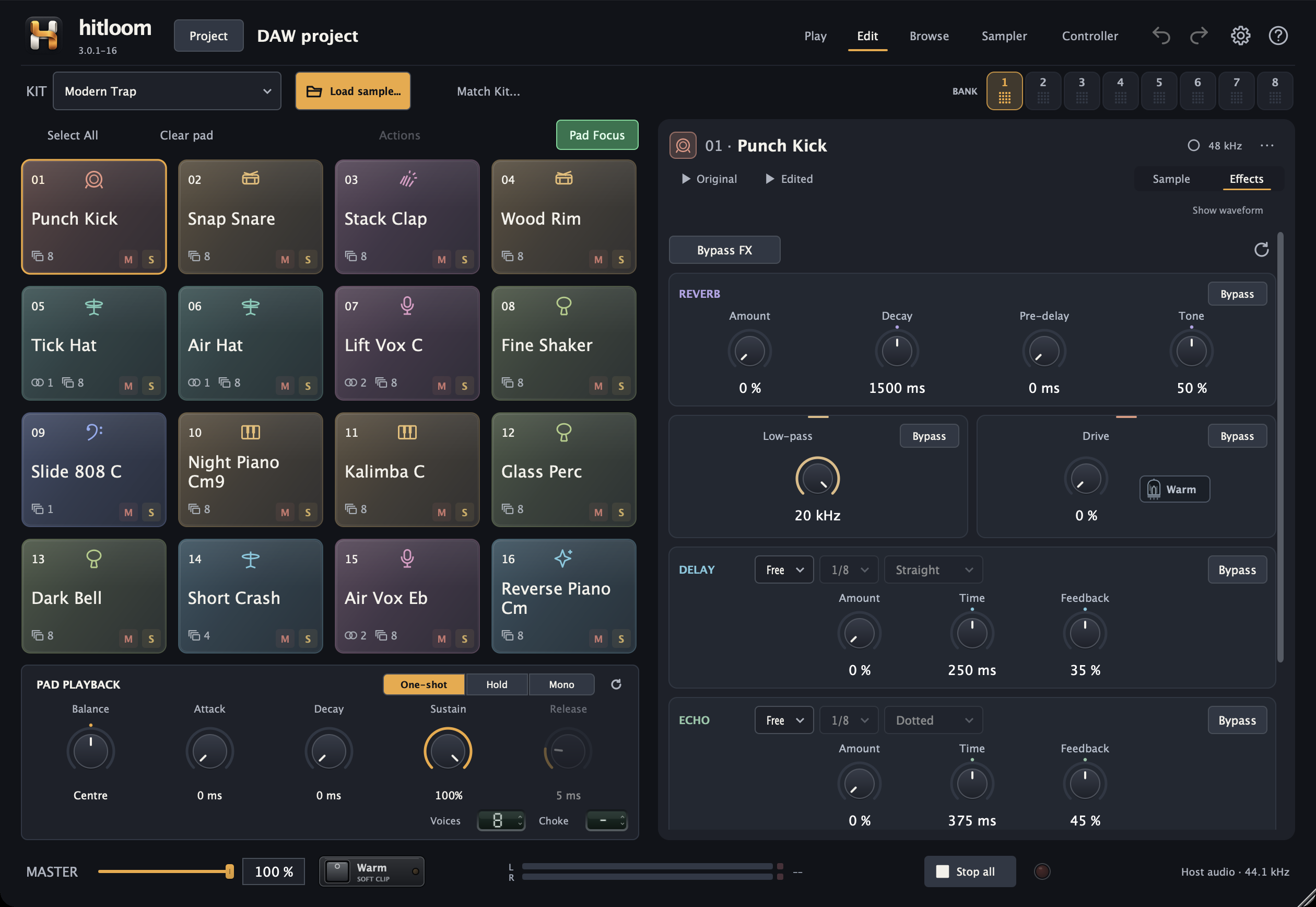
Give each sound its own reverb, delay, echo, filter and drive. Sync the timing to your beat and keep the effects in your WAV exports.
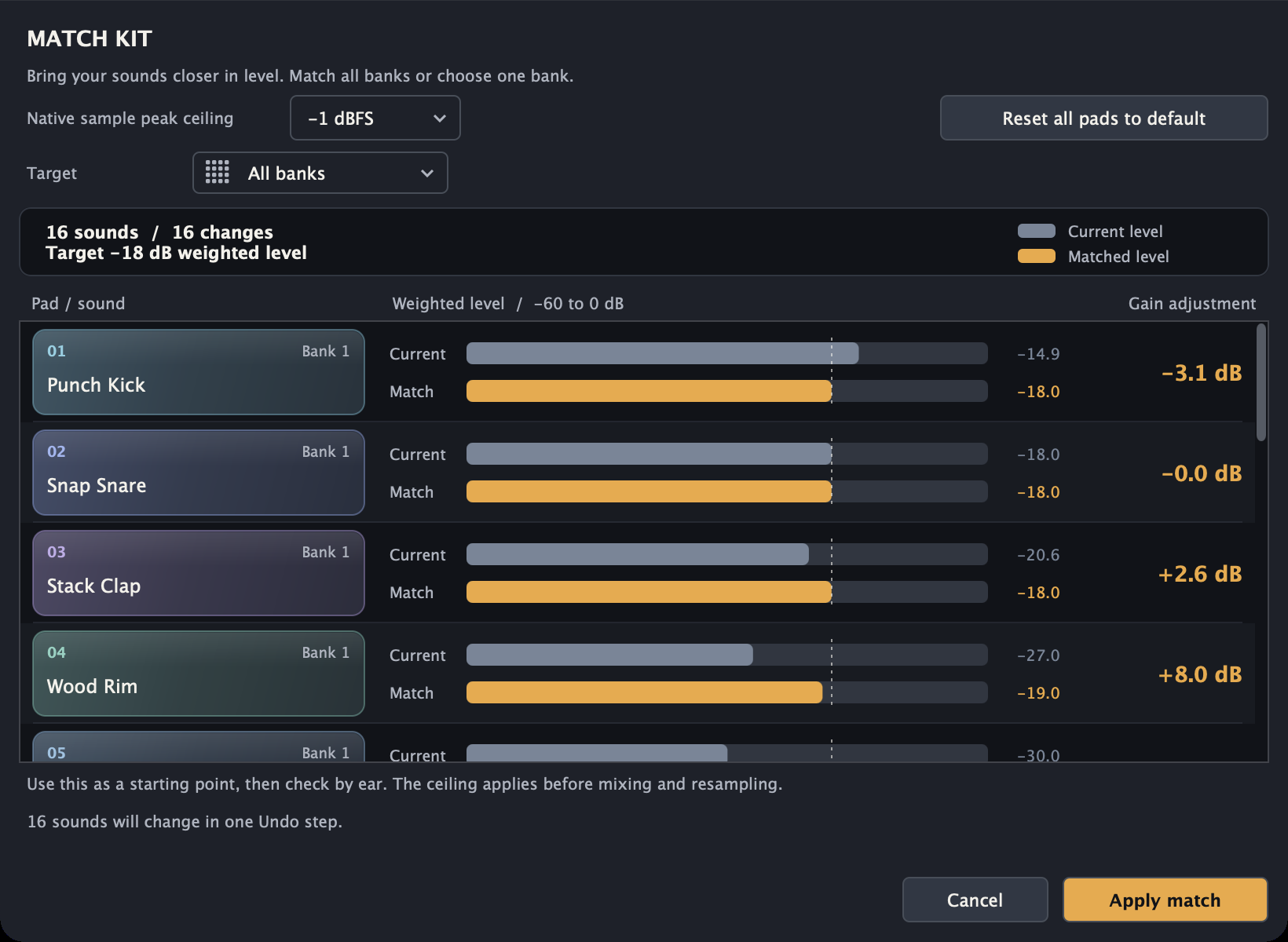
Balance your sounds in one pass. Review every gain change before applying it, then undo the whole adjustment in one step.
PLAYBACK AND PROJECTS
Set each pad's envelope, trigger mode and choke group. Save controller profiles, export edited WAVs, or collect a project with its samples.
Attack, decay, sustain and release for every pad. Choose One-shot, Hold or Mono, set stereo balance, and use choke groups for sounds that should cut each other off.
Learn one pad or assign a whole bank. Map bank changes, view switches and Stop all sounds to MIDI notes or CC. Save the mappings in controller profiles.
Export edited WAVs from a pad, bank, selection or full kit. Collect a project with its samples in one folder, ready to move to another machine.
LOCAL STEM SEPARATION
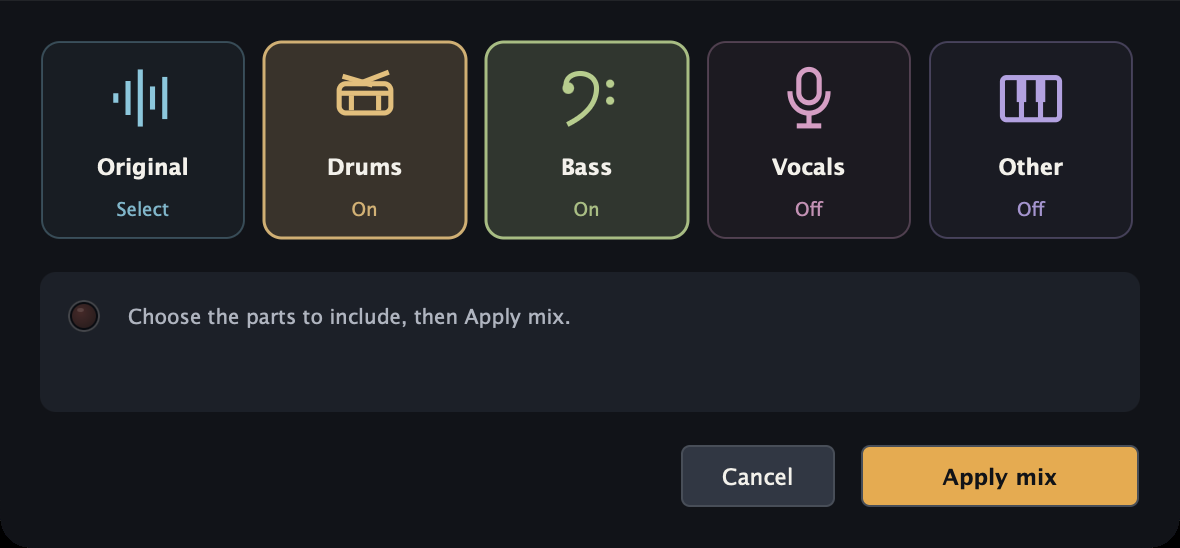
Separate vocals, drums, bass and other instruments. Audition the parts, choose a mix and apply it to your cues. Your audio stays on your Mac.
Optional model download · Apple silicon · macOS 12 or later. Allow about 1 GiB for the engine, model and setup, plus space for rendered audio.
TAKE IT FROM HERE
Bring your recordings, build a kit and play. Join the free open beta for Mac. The Windows release is in preparation.
COMMUNITY
Report a problem, ask a question or request a feature. Follow the discussion and see its status. No account needed.